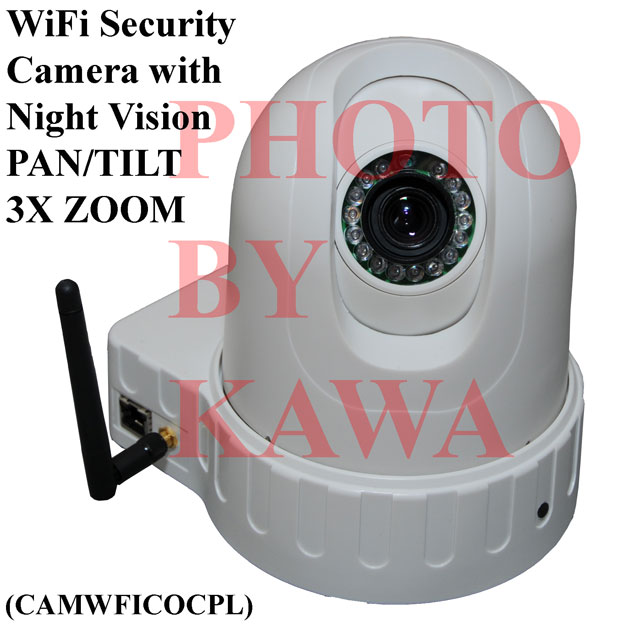
Picture 1. Remote Security
Surveillance Camera
to monitor your store or home.
Network Camera
Offered
here is ONE (1) NEW
Security Surveillance Camera with WiFi or RJ45 Ethernet network
capability. Install this camera in a remote location and monitor the
area using your PC. The camera connects to your PC via your Wi-Fi
wireless network or Ethernet RJ-45 cable.
SATISFACTION GUARANTEED
If you are
not satisfied with this item, you are more than welcome to return it in
its original condition and packaging to us for FULL REFUND within 30
days.
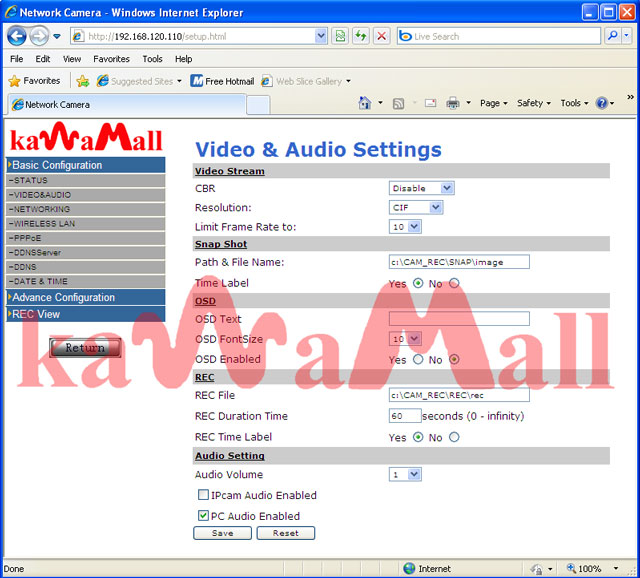
Records Video (with Audio) and Images on Your PC
You can
configure this WiFi Camera to record videos and images taken during
surveillance onto your PC. The videos and images will have a time stamp
on it to indicate the time when the event occured.
Motion Detect Alarm
You can
configure the software to notify you when motion was detected by
camera. The software can send notifications via Email or FTP with an
image of the object in motion.
Remote Control ZOOM, TILT, PAN
You can
control the position of the camera from the comfort and safety of your
PC. It is capable of 360 degrees horizontal rotation and beyond, and
also 90 degree vertical rotation. You can also set the camera to
continuously rotate back and forth across a fix angle to capture images
from all areas. You can set the speed which the camera turns. You
can install the camera upright or upside down since the picture can be
inverted in your computer. The camera also comes with a 3X zoom
lens.
Night Vision
The 24
onboard infrared LED lights allow you to monitor dark areas with little
or no lighting. Images in the dark or low lighting conditions will
appear as black and white.
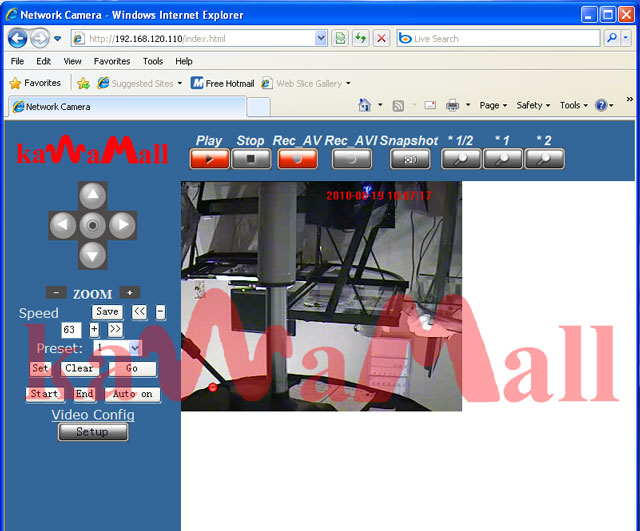
Video via Browser or Cell Phone
If you want
to monitor your camera in video mode, you can do so anytime anywhere
via your computer's Windows Internet Explorer or your mobile phone as
long as it has Internet Explorer and your camera is connected to the
internet. Most Dopod or O2 mobile phone will work. For
added security, only viewer with the correct password can control the
camera and view its video. Other browser such as Safari, Firefox
can only view in photo mode, and not in video mode. Your browser
will refresh the image once every few seconds as determined by you when
you previously set up your camera.
Picture View on Any Internet Capable Device
We have
three method to view fix image from mobile.
1. Use Java applet, all of our product can support Java applet play and
control.
We have MobileViewer.jar which can run in all java mobile phone like
NOKIA and WinCE system
With java applet, most mobile phones will allow you to see at 5 frames
per second, and also allow you to control your IP camera with your
mobile phone
2. Use browser, you can connect IP camera by any kind of browser, you
can input url
http://xxx.xxx.xxx/photo.html
xxx.xxx.xxx is IP camera address
With this method, you can download a JPEG picture from the IP camera
This method can support all browser, which means your favorite Iphone,
Nokia E71 , Nokia N96 phones and etc will work.
3.Use RTSP decode, we can support QCIF size real time RTSP, it can be
played at all
RTSP player. We can find some RTSP player from mobile, like QuickTime
and RealPlay.
But sometimes many firewall and NAT will stop this RTSP, so you need
select different item base your mobilephone.
SPECS:
-
CCD
Image Sensor: Sony 420 TVL
-
Voltage:
AC 110V - AC240 V
-
Network:
Wi-Fi 802.11b/g or Ethernet RJ45
-
Network
protocol: TCP / IP
-
Physical
installation method: Top or Side or Upside down
-
PAL
Max: 25 frame/sec and NTSC max 30frame/sec
-
Video
Compression: MPEG4
-
Resolutions:
D1 (4CIF) / CIF / QCIF
-
System
Integration support: CGI command line control
-
Horizontal
Rotation: 360 Degrees
-
Vertical
Rotation: 90 Degrees
-
Pan
/ Tilt / 3X Zoom
-
Exposure:
Automatic
-
Iris:
Automatic
-
Viewing
Distance: 50 mm to infinity
-
Full
Motion Real Time Color Video without delay (black and white when
infrared is ACTIVE in dark areas)
-
Operating
temperature: -10 to 50 Celcius
-
25
frame per second
-
Water
resistant: No
-
Picture
type: COLOR
-
Base
Dimension: 4.25 x 6.5 x 2 inches
-
Cylindrical
Dimension: 4.5 x 5.5 inches
Quick Installation
Only
takes about 15 minutes to install entire system. May take more
time when you first learn how to setup. Installation steps listed below:
-
Connect
camera to your Ethernet switch or hub.
-
Run
the included software to identify the camera factory default IP.
-
Change
the IP of the camera so that it belongs to your local IP subnet.
-
Configure
the camera to connect to your Wi-Fi network (For added security, you
can use your router's access control feature permit this camera to
access your router.)
-
Remove
the Ethernet cable and install the camera at the remote site
That's
it! You will get vivid video picture!
|